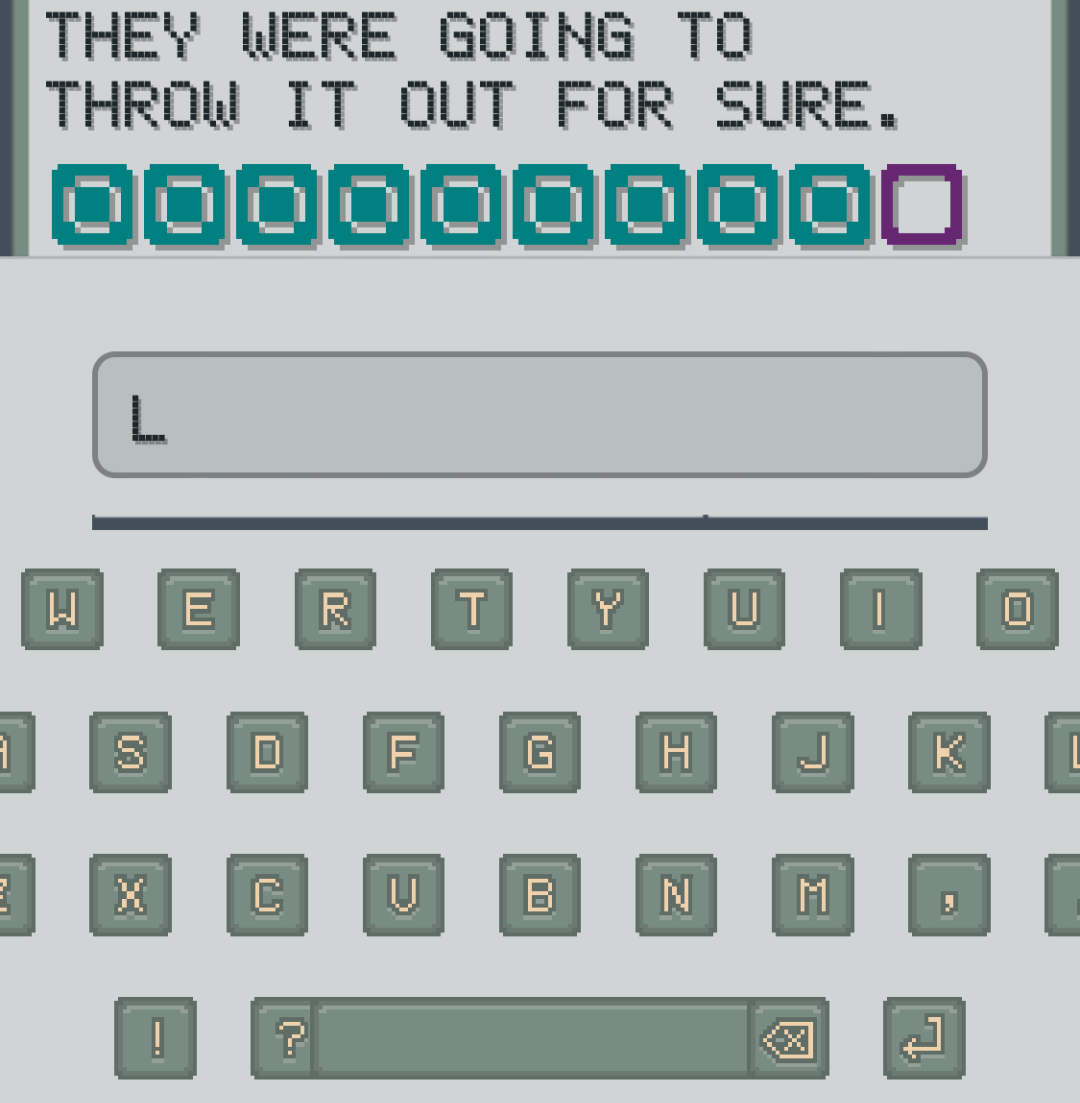
I expected to fix some layout quirks. I did not expect the AI agent to hook up the game logic correctly on the first try.
One of my first AI-coding experiments was porting my MAGiE puzzle game to the web. I’ve been working on this iteration of it in my spare time for the past two years, and I still think of myself as much more of a back-end developer than a front-end one. The last time I really worked on the front end, I was excited to implement “drag and drop” in a web app. (I had to learn that shiny new framework, jQuery!)
This week, I asked Codex (through JetBrains AI Chat) to build the first draft of a custom on-screen keyboard for the game.
Years ago, when we were working on the original Unity implementation of the puzzle game, My friend Moss designed pixel-art keys to make a custom keyboard. Unity doesn’t really integrate with the OS like that. It doesn’t come with “default controls” for text boxes, etc. So I already had the visual assets ready. I knew that I could spend an enjoyable evening figuring out a system for laying out the keys in rows and positioning each one just so. But, I just knew that the robot could get me started faster. So I just explained where the assets were and asked it to draft the React version of a custom keyboard.
It asked me to clarify a couple of implementation details, then, it… implemented the custom keyboard.
As I would have implemented it, I would have started with the layout and visuals first, then I would have started hooking up buttons to code. I would have been happy if it had just given me the layout. But it did the whole thing. Like, it totally works. The code is not perfect. You can see, in the screenshot, some gloriously awkward spacing on a small phone screen, but it was far closer to usable than I expected.
I mentioned that this whole React app was an experiment with AI coding assistants, but most of the code in the project is mine. So I didn’t need any help tracking down the .css file that held some padding. I know how to use the developer tools in the browser to inspect an element and then work backward from the final style to the source files. But, this was the first time that I had asked for so much code at one time. No, wait… it wasn’t the first time. But, the first time was such a disaster that I rolled the whole feature back and started again.
So, planning to keep the generated code, I asked the robot where the layout was configured so I could clean up the visuals. The agent pointed me to the few places in the handful of files in which it had implemented the feature. (“Those are the knobs…” it often says.) But it also identified the CSS variable in my existing App.css file where the parent element was probably adding the padding that was causing the layout issue.
That was… “impressive” isn’t quite the word. Because, I had used AI agents to track down specific items in unfamiliar code bases — even in code bases of unfamiliar languages! So I was pretty confident that it would find the right file and line. But, at the same time I was surprised that I was willing to just ask the robot about my own code. It was partly an experiment. But it was also just, trusting the new tool.
When my graphic-designer dad was really designing for the web, my nerdy brothers and I started showing him the relationship between HTML and CSS. Wanting to help him have the basic understanding of how we got where we are, we just coded up a simple, “hello, world” web page. Something like:
```
<html>
  <head><title>Hello, World!</title></head>
  <body>
    <h1>Hello, Heading 1!</h1>
    <p>Hello, this is a paragraph of text.</p>
</html>
```
He, being non-fluent in HTML, was discouraged by how quickly we put all that code up on the screen. I was just giving us something to work with—just a reference. If I had had the reference markup ready beforehand, I think he would not have thought about all that he didn’t know, and we could have moved on with the lesson. (“See here, in stylesheet.css, we can add h1 and give it some style values and “boom!” they change how the page renders.”)
He said something like, “you guys do that so fast!”
I had to explain, “well, first of all, we’re using tools here that speed it up. I type < and it suggests some likely HTML tags. Then, when I choose one, it automatically closes the open tag with >, adds the closing tag with </html>, and puts my cursor in between where it knows I’ll be editing next (because we don’t need anything after the HTML element). And, after you’ve done it a hundred times, you’ll wiz through it too!”
And now, I feel kind of like my dad did back then. I want to grok all that is going on. Until now, that has been the only way for me to be proficient working in a code base. I had to have internalized all the different modules and their relationships before I could be confident enough to dive in and make a modification.
So, rather than trying to “skill” my way out of my tendency to ramp up slowly (but thoroughly!) Instead I need to lean on my real superpower: big-picture thinking. I’ve enjoyed “coding” so much that I let it get in the way of the real reason I started my software career in the first place: building applications—products—that are helpful, fun, or both!
It sounds a bit bizarre
But things the way they are
I never thought the future where I outsource my own job and change roles and re-think my whole professional identity…
Would be fun for me!